Honda CR-V Oil Life Reset and Maintenance Minder Codes: Match Your Dash, Then Read the Letters
The reset only works after the service is done. On a Honda CR-V, open the Maintenance Minder screen and, on most dashes, press and hold the control for about 10 seconds until the display blinks, pick the item you serviced (or All Due Items), then confirm. The control depends on your dash: a TRIP or Select/Reset knob in the gauges, the ENTER button on the steering wheel, or the left selector wheel in the 2023 Hybrid and 2025 manuals.
The letter and numbers on the screen (such as B 1) are a service list, not an error. Jump to the code decoder below to see what each one covers.
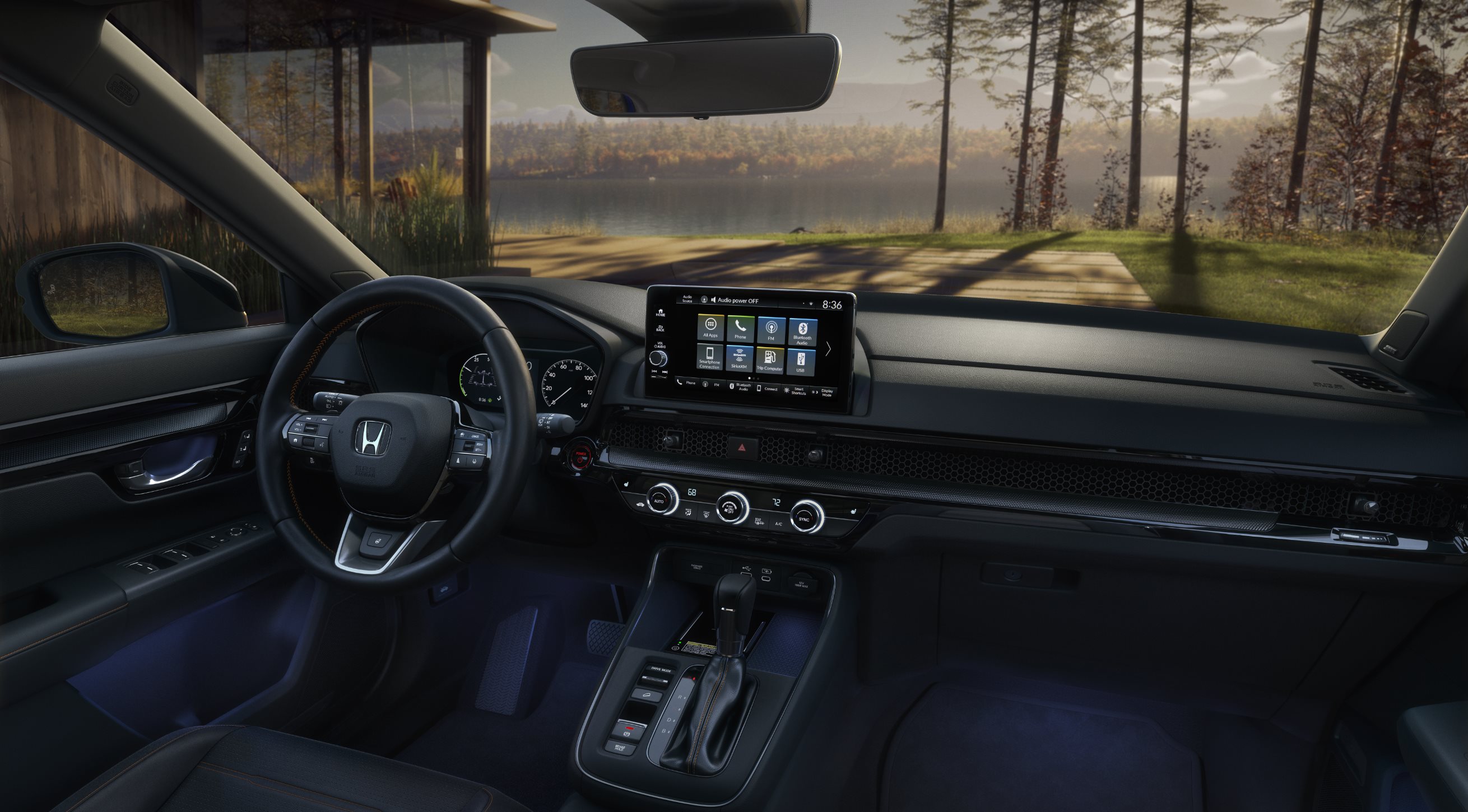
A CR-V does not wait for a fixed mileage. Honda's Maintenance Minder watches how the engine is actually used and counts the remaining oil life down as a percentage. When you service the vehicle, the count has to be set back to 100, and the way you do that has changed with the dash design. Below, each set of steps is tied to the owner's manual it comes from, so you can find the one that matches your CR-V.
Three quick rules from Honda
- Reset after the work, not before. Honda's manuals warn that skipping the reset after service means the system shows incorrect maintenance intervals, which can lead to serious mechanical problems.
- Reset the item you actually serviced. The newer displays let you choose one item or All Due Items, and you can repeat the steps for other items.
- Dealer service resets it for you. The manuals say the dealer resets the display after completing the required maintenance. If someone else does the work, you reset it yourself.
Match your dash to the manual
These are the Honda owner's manuals the steps below come from. If your CR-V is from a model year not listed, open its own owner's manual to confirm the exact screens before you press anything.
| Manual | Where the oil life shows | Control for the reset |
|---|---|---|
| 2008 CR-V | Information display in the gauges | Select/Reset knob |
| 2016 CR-V | Information display, multi-information display, or the i-MID screen | Select/Reset knob, SEL/RESET button, or the i-MID menu |
| 2017, 2019 and 2021 CR-V | Information display (TRIP knob) or driver information interface | TRIP knob, or the ENTER button |
| 2023 CR-V Hybrid, 2025 CR-V and 2025 CR-V Hybrid | Driver information interface | Left selector wheel |
2008 CR-V: the Select/Reset knob
In Honda's 2008 manual the oil life appears on the information display once you turn the ignition switch to ON (II) and press and release the Select/Reset knob repeatedly. These are the reset steps the manual prints for EX and EX-L models.
- Turn the ignition switch to ON (II).
- Press the Select/Reset knob repeatedly until the engine oil life shows.
- Press and hold the knob for about 10 seconds. The display shows the reset mode.
- Turn the knob to the OIL LIFE indicator. It begins to blink. Push the same knob to enter it.
- The oil life and the maintenance item codes blink. Push the knob once more to reset.
- The codes disappear and the oil life returns to 100.
2016 CR-V: pick the route your screen offers
Honda's 2016 manual describes three different layouts, so check what your CR-V has before following any steps.
Information display in the gauges
- Turn the ignition switch to ON.
- Press the Select/Reset knob repeatedly until the engine oil life shows.
- Press and hold the knob for 10 seconds or more. The oil life and the item codes blink.
- Press the knob again for five seconds or more. The items disappear and oil life returns to 100%.
Multi-information display
- Set the power mode to ON.
- Choose VEHICLE SETTINGS with the steering wheel button, then press SEL/RESET.
- Choose MAINTENANCE RESET, then press SEL/RESET.
- Choose RESET, then press SEL/RESET. The service code disappears and oil life returns to 100%. Choose CANCEL if you change your mind.
i-MID screen
- Turn the ignition switch to ON.
- Press MENU, choose Vehicle Information, and press SOURCE. Press SOURCE again to reach the Maintenance info screen.
- Press SOURCE once more. The oil life reset mode appears on the i-MID.
- Choose Yes to reset the Maintenance Minder.
2017, 2019 and 2021 CR-V: knob or ENTER button
These three owner's manuals share the same two reset methods. Which one applies depends on whether your CR-V has the information display or the driver information interface.
TRIP knob (information display)
The 2017 and 2019 manuals describe this one. Start with the vehicle at a complete stop.
- Turn the ignition switch to ON (or press ENGINE START/STOP on smart entry models).
- Press the TRIP knob repeatedly until the Maintenance Minder shows.
- Press and hold the knob for 10 seconds or more. The display blinks to show it is in reset mode.
- Rotate the knob to select the item to reset, then push the knob for five seconds or more.
ENTER button (driver information interface)
The 2017, 2019 and 2021 manuals all list these steps.
- Set the power mode to ON (the 2021 manual says turn the ignition switch to ON).
- Press the display/information button on the steering wheel repeatedly until the Maintenance Minder icon appears.
- Press ENTER.
- Press and hold ENTER for about 10 seconds to enter the reset mode.
- Press the up or down arrow to choose an item, or All Due Items. Cancel ends the process.
- Press ENTER to reset the selected item, then repeat from step 4 for any other item.
The same manuals also point to a second route in the settings menu. The 2017 and 2019 manuals mention the audio/information screen, and the 2021 manual lists Maintenance Reset in the driver information interface settings and Maintenance Info. on the audio screen for Display Audio models.
2023 CR-V Hybrid, 2025 CR-V and 2025 CR-V Hybrid: the left selector wheel
The 2023 Hybrid, 2025 gas and 2025 Hybrid manuals print the same steps. The left selector wheel on the steering wheel does everything.
- Set the power mode to ON.
- Press the home button.
- Roll the left selector wheel until the Maintenance Minder icon is displayed.
- Press the left selector wheel to open the Maintenance Minder screen.
- Press and hold the wheel for about 10 seconds to enter the reset mode.
- Roll the wheel to a maintenance item, or to All due items. Cancel ends the process.
- Press the wheel to reset the selected item, then repeat from step 5 for others.
Honda's newer manuals add that you can also reset from the settings on the driver information interface or the audio/information screen.
What the percentage and the messages mean
Honda's manuals show the oil life in steps. A reading of 20 means the calculated life is somewhere from 20 down to 16 percent, a reading of 10 covers 10 to 6, and a reading of 5 covers 5 to 1. The warnings come in three stages.
| Stage | What you see | What Honda says to do |
|---|---|---|
| Approaching | Oil life reaches 15%. Codes for other due-soon items appear with it. Newer displays say Maintenance Due Soon (15 to 6%). | The engine oil is approaching the end of its service life. Plan the service. |
| Almost used up | Oil life is 5 to 1%. Newer displays say Maintenance Due Now. | Have the items inspected and serviced as soon as possible. |
| Past due | A negative distance blinks after you drive more than 10 miles past the point. Newer displays say Maintenance Past Due. | Honda says the items must be inspected and serviced immediately. |
Once the oil life falls below 15 percent, the message appears every time you turn the ignition to ON as a reminder to bring the CR-V in for service.
Minder code decoder: the letter, then the numbers
The Minder shows one main letter and, next to it, one or more numbers. Read them as a single work order: the letter is the main service, and every number adds one more job to do at the same visit. This is the main-code list in Honda's 2025 manuals. The 2016 manual's B list also includes a parking brake adjustment check.
| Main code | What it covers |
|---|---|
| A | Replace engine oil |
| B | Replace engine oil and oil filter, inspect front and rear brakes, and inspect tie rod ends, steering gearbox and boots, suspension components, driveshaft boots, brake hoses and lines, all fluid levels and fluid condition, the exhaust system, and fuel lines and connections |
The number codes differ by model year. This is how Honda's 2025 manuals list them for the gas and Hybrid CR-V.
| Number | 2025 CR-V (gas) | 2025 CR-V Hybrid |
|---|---|---|
| 1 | Rotate tires | Rotate tires |
| 2 | Replace air cleaner element and dust and pollen filter, inspect drive belt | Replace air cleaner element and dust and pollen filter |
| 3 | Replace transmission fluid | Replace transmission fluid |
| 4 | Replace spark plugs, inspect valve clearance | Replace spark plugs |
| 5 | Replace engine coolant | Replace engine coolant |
| 6 | Replace rear differential fluid | Replace rear differential fluid |
| 7 | Replace brake fluid | Replace brake fluid |
The Hybrid's B code also adds a check of the expiration date on the temporary tire repair kit bottle. The 2016 manual lists only numbers 1 through 6 and has no brake fluid code, so its list is shorter. Honda's 2016 manual says to replace brake fluid every 3 years regardless of what the Minder shows.
Reading a few real screens
- A 1 on a 2025 CR-V: oil change plus a tire rotation. A short visit.
- B 2 3 on a 2025 CR-V: oil and filter, the brake and underbody inspection list, new air filters, a drive belt check and transmission fluid.
- B 1 4 5 on a 2025 CR-V Hybrid: oil and filter, inspections, rotation, spark plugs and coolant.
A few footnotes are worth knowing. Honda says to change the engine oil every year if no Minder message appears more than 12 months after the last reset. It says to change the brake fluid every 3 years if no message shows more than 36 months after the item 7 reset. If you drive in dusty conditions, the manuals say to replace the air cleaner element every 15,000 miles, and they give the same 15,000-mile interval for the dust and pollen filter if you drive mostly in city air heavy with industrial or diesel soot. If you regularly drive in mountainous areas at very low speeds, the 2025 gas manual says to change transmission fluid every 25,000 miles, and the 2025 Hybrid manual says every 47,500 miles or 3 years.
When the reset does not go the way you expect
- The display never starts blinking. You are probably not on the Maintenance Minder screen yet, or you released the control too early. Go back to the screen and hold for a full 10 seconds.
- Oil life is still low after the reset. On the newer screens you reset one item at a time unless you choose All Due Items. Repeat the steps for the remaining item.
- You reset it by accident. The system now shows incorrect intervals, which Honda warns can lead to serious mechanical problems. Have a technician confirm the oil and other due items, then reset again to match the real service.
- The message returns on every start. That is the reminder below 15 percent. It stays until the service is done and the display is reset.
CR-V service at Team Honda in Merrillville
Team Honda is at 4613 E Lincoln Hwy in Merrillville, and its service page notes that appointments are easy to book for drivers across Highland, Schererville, St. John, Crown Point and Valparaiso. When a Minder code shows up on your CR-V, the store's technicians can do the work behind the letter and numbers and reset the display for your model year.
- Oil changes in conventional or synthetic, done by certified technicians, with current offers on the oil change page.
- 30K, 60K and 90K services for the number codes that add up to a bigger visit.
- Engine diagnostics for check engine light, fluid light and service light questions.
- Online scheduling so you can book the visit the day the message appears.
Looking at the next CR-V? Compare the 2027 and 2026 Honda CR-V, or browse new CR-V and certified pre-owned CR-V inventory.
Honda CR-V oil life reset questions
Do I have to service my CR-V at the dealer to keep the warranty?
Honda's 2008 manual says dealer service is not mandatory to keep warranties in effect. Maintenance can be done by any qualified facility or person skilled in that work, as long as the display is reset and you keep receipts as proof of completion.
Is the reset the same on a CR-V Hybrid?
In the 2023 CR-V Hybrid and 2025 CR-V Hybrid manuals, the reset uses the same left selector wheel steps as the 2025 gas CR-V. The service codes differ a little, so check your own manual for your Hybrid's list.
What does the negative number on my display mean?
Honda's manuals say a blinking negative distance, shown after you drive more than 10 miles past the point, means the oil life has passed. They say the maintenance items must be inspected and serviced immediately.
What if I change the oil but never reset the Minder?
The Minder keeps counting from the old reading, so it shows incorrect intervals. Honda's notice says that can lead to serious mechanical problems, which is why the reset belongs right after the service.
Can I reset one code and leave another?
Yes on the newer displays. The 2017 through 2025 manuals let you pick a single maintenance item or All Due Items, then repeat the steps for any other item you serviced.
How often should the oil be changed if no message appears?
Honda's footnote says to change the engine oil every year if no Minder message appears more than 12 months after the last reset.
Sources
- Honda 2008 CR-V Owner's Manual: Maintenance Minder
- Honda 2016 CR-V Owner's Manual: Maintenance Minder
- Honda 2017 CR-V Owner's Manual: Maintenance Minder
- Honda 2019 CR-V Owner's Manual: Maintenance Minder
- Honda 2021 CR-V Owner's Manual: Maintenance Minder
- Honda 2023 CR-V Hybrid Owner's Manual: Maintenance Minder
- Honda 2025 CR-V Owner's Manual: Maintenance Minder
- Honda 2025 CR-V Hybrid Owner's Manual: Maintenance Minder
Steps follow Honda's U.S. owner's manuals for the model years named above; controls can vary by trim and model year. If your display does not match, your own owner's manual or the Team Honda service team can confirm the right steps. Updated November 2026.